Instrukcija

Proxy televizoriui

Šiuolaikiniai televizoriai tiesiog akyse „išmanėja“: atsiranda naujos technologijos, o jų „vidus“ vis labiau primena kompiuterį. Daugelis modelių turi savo OS, patogią sąsają, interneto prieigą ir daugybę programėlių.

Dažniausia TV operacinė sistema yra Android TV. Ji turi panašių pliusų ir minusų kaip mobilus Android: duomenų perdavimo saugumas dažnai šlubuoja (prie sistemos gali būti pririšti mokėjimo duomenys ir paskyros), be to, reguliariai pasitaiko GEO apribojimų ir blokavimų.

Pats paprasčiausias sprendimas — VPN programėlė, diegiama kaip atskira programa. Tačiau dažniausiai naudos mažai: paprastai ji tik atveria prieigą prie užblokuotų išteklių ir išplečia programėlių sąrašą.

Proxy televizoriui galima sukonfigūruoti ir maršrutizatoriuje, per kurį TV jungiasi prie interneto. Taip, tam dažnai reikia PC, bet užtat pasirinkimas praktiškai niekuo neribojamas.

Patarimas: TV dažniau rekomenduojami individualūs IPv4 su reikiamu GEO (pvz., JAV/Europa užsienio turiniui). Jei nėra tiesioginių nustatymų, junkite proxy per maršrutizatorių — taip stabiliau ir universaliau.

{title}
Bičiukas iš sugeneruotos nuotraukos
Šio reitingo autorius
galima pasitikėti
"Nusipirkau proxy, ir dabar mano duomenys keliauja po pasaulį greičiau nei aš."
Live Proxies

Live Proxies

Reitingas:
0 0

Kaina:

nuo $70.00 iki $530.00
nuo 60,52 € iki 458,20 €

Proxy kaina:


Būsite nukreipti į oficialią svetainę Live Proxies
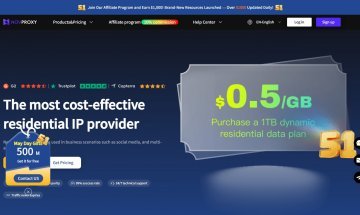
Novproxy

Novproxy

Reitingas:
0 0

Kaina:

nuo $0.02 iki $3.80
nuo 0,02 € iki 3,29 €

Proxy kaina:


Būsite nukreipti į oficialią svetainę Novproxy
Nuolaidos kodas: rateproxy
LumiProxy

LumiProxy

Reitingas:
0 0

Kaina:

nuo $0.78 iki $6.00
nuo 0,67 € iki 5,19 €

Proxy kaina:


Būsite nukreipti į oficialią svetainę LumiProxy
Nuolaidos kodas: 7CVBE8
ProxyLite

ProxyLite

Reitingas:
0 0

Kaina:

nuo $0.75 iki $5.50
nuo 0,65 € iki 4,75 €

Proxy kaina:


Būsite nukreipti į oficialią svetainę ProxyLite
Nuolaidos kodas: 511818
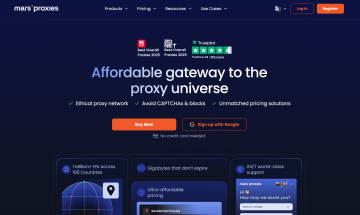
MarsProxies

MarsProxies

Reitingas:
0 0

Kaina:

nuo $0.89 iki $3.49
nuo 0,77 € iki 3,02 €

Proxy kaina:


Būsite nukreipti į oficialią svetainę MarsProxies
9Proxy

9Proxy

Reitingas:
0 0

Kaina:

nuo $15.00 iki $25.00
nuo 12,97 € iki 21,61 €

Proxy kaina:


Būsite nukreipti į oficialią svetainę 9Proxy
Nuolaidos kodas: 9P_oF7VV9jJ
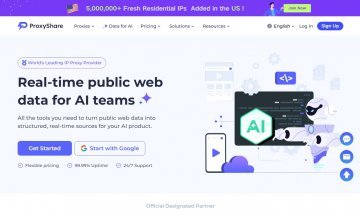
ProxyShare

ProxyShare

Reitingas:
0 0

Kaina:

nuo $0.27 iki $64.79
nuo 0,23 € iki 56,01 €

Proxy kaina:


Būsite nukreipti į oficialią svetainę ProxyShare
Nuolaidos kodas: PR5Q3X
RareCloud

RareCloud

Reitingas:
1 1

Kaina:

nuo $5.73 iki $120.00
nuo 4,95 € iki 103,74 €

Proxy kaina:


Būsite nukreipti į oficialią svetainę RareCloud
IPRocket

IPRocket

Reitingas:
0 0

Kaina:

nuo $0.90
nuo 0,78 €

Proxy kaina:


Būsite nukreipti į oficialią svetainę IPRocket
Nuolaidos kodas: 1azj8AE7
LTESocks

LTESocks

Reitingas:
0 0

Kaina:

nuo $50.00
nuo 43,23 €

Proxy kaina:


Būsite nukreipti į oficialią svetainę LTESocks
© Copyright 2026 RateProxy.com. Visos teisės saugomos. Susisiekite su mumis: info@rateproxy.com
Tarifai ir informacija atnaujinta: 28-04-2026 18:26
Jūs žiūrėjote
Žiūrėti viską

Kaip nustatyti tarpinis serveris televizoriuje?

Nustatykite tarpinis serveris televizoriuje per tinklo nustatymus, maršrutizatorių, Android TV programą arba TV box.

LG webOS

  1. 1

    Open the router panel → find WAN/proxy settings → enter server and port → save.

  2. 2

    Enter server, port and authentication details.

  3. 3

    Save the settings and check the connection.

  4. 4

    Open an IP checking page or the target app and compare the country, city and provider.

Router

  1. 1

    Open the router panel → find WAN/proxy settings → enter server and port → save.

  2. 2

    Save the settings and restart the browser or app.

  3. 3

    Open an IP checking website.

  4. 4

    Check country, city and provider.

TV box

  1. 1

    Install a proxy-capable app → add profile → enter server, port and access → enable.

  2. 2

    Enter IP, port, login and password.

  3. 3

    Save the settings and check the connection.

  4. 4

    Open an IP checking page or the target app and compare the country, city and provider.

Patikra

  1. 1

    Open an IP checking website.

  2. 2

    Make sure the IP address has changed.

  3. 3

    Check country, city and provider.

  4. 4

    If the IP did not change, restart the browser, app or proxy profile.

Programinė įranga ir plėtiniai

  1. 1

    Įrankiai: tarpinis serveris televizoriuje

  2. 2

    Router

  3. 3

    Open the router panel

  4. 4

    Open the router panel → find WAN/proxy settings → enter server and port → save.

Nustatymas

  1. 1

    Open the router panel → find WAN/proxy settings → enter server and port → save.

  2. 2

    Android TV / Google TV

  3. 3

    Install a proxy-capable app

  4. 4

    Install a proxy-capable app → add profile → enter server, port and access → enable.

Tools for TV proxies

Patikra

Main method

Ryšio, autentifikavimo ir išorinio IP patikra komandinėje eilutėje.

Sąranka Open an IP checking website. → Check country, city and provider.

Android TV apps

curl / terminal

On Android TV and Google TV, use apps with proxy support if system settings are limited.

Sąranka Install app → add profile → enter IP, port and authentication → enable connection.

Built-in browser

IP check

The TV browser helps check whether the proxy was applied after setup on the TV or router.

Ryšio patikra Open an IP checking site → compare country, city and provider → launch the target app.

Diagnostika

Jei neveikia

If the TV does not use the proxy, check the device IP, router rule, authentication and conflicting network settings.

Ką patikrinti TV IP → routing rule → login and password → restart router and TV.